Hypersign 3.9 brings all of your reports together on one page and lets you label each screen with what it’s used for. It’s already live for every account, with nothing to install or update on your players.
New
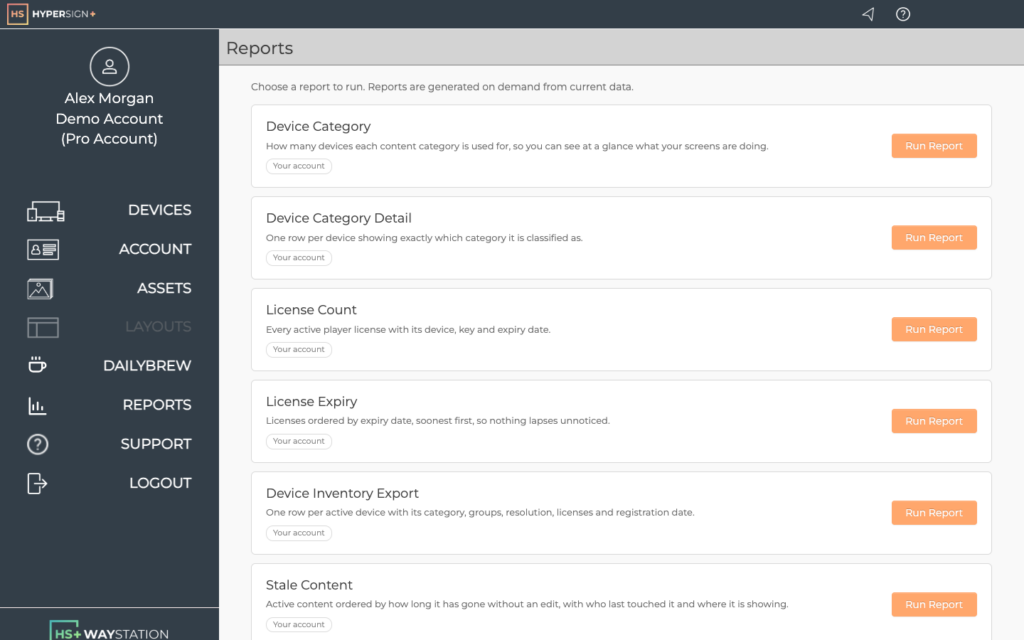
- Reports hub. Every report now lives on one page. Choose Reports in the left-hand menu, click Run Report next to the one you want, then download the result as a CSV. Two new reports, Device Category and Device Category Detail, break your screens down by category. Which reports you see depends on your role.
- Device categories. Give each device a content category so reports can group your screens by what they show. On the Devices page, edit a device and pick from the Category list, or choose Add new category… to create your own.
- Release notes on the dashboard. The dashboard now shows the latest Hypersign release notes, so you’ll see what’s new as soon as you sign in.
Improved
- New stacks are shared with everybody in the account by default.
- The stack list opens quickly for accounts with hundreds of stacks.
Fixed
- Several device page errors that could send you back to the dashboard.
Questions?
Choose Support in the left-hand menu of Hypersign and let us know what you think of this release.