InRoom 1.1 makes it easier to organize and preview your content and gives Settings a cleaner layout. It’s already live for every account, with nothing to install or update on your TVs.
New
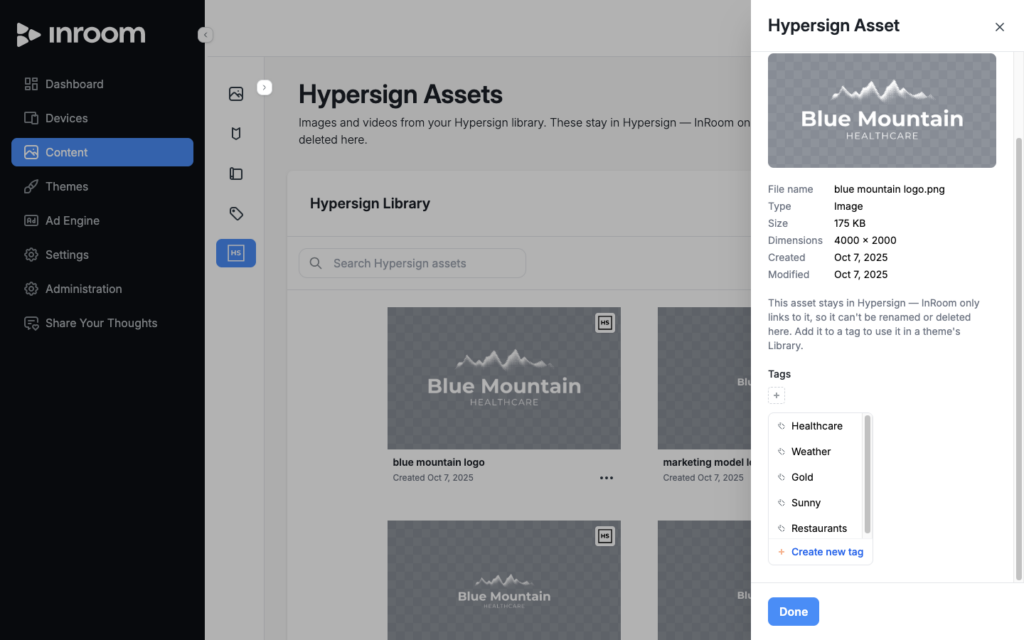
- Tags for Hypersign assets. On the Hypersign Assets tab, choose Manage Tags to add or remove tags on an asset, the same way you already tag your own content.
- Release notes on the dashboard. The dashboard now shows the latest Hypersign, InRoom, and DailyBrew release notes, so you’ll see what’s new as soon as you sign in.
Improved
- Redesigned Settings page. Settings is now split into Guest casting and TV sections, each with its own Save button, so you can change one without touching the other.
- See the whole image. Hypersign asset and logo cards show the entire image instead of cropping it, on a checkered background so transparent logos are easy to see. Smaller Hypersign images load at full quality instead of a blurry thumbnail.
- More detail in content sidebars. The content and Hypersign asset sidebars show file details and a preview sized to the image.
- New logos and backgrounds are added from the same content sidebar used everywhere else.
- Ad Engine cards line up at a consistent size, channel cards show the channel icon, and date columns no longer wrap.
- A cleaner, more readable font throughout the app.
Fixed
- Success messages close quickly and no longer get in the way of the buttons underneath them.
Questions?
Contact Hypersign support and let us know what you think of this release.